
Authorization and security in MCP
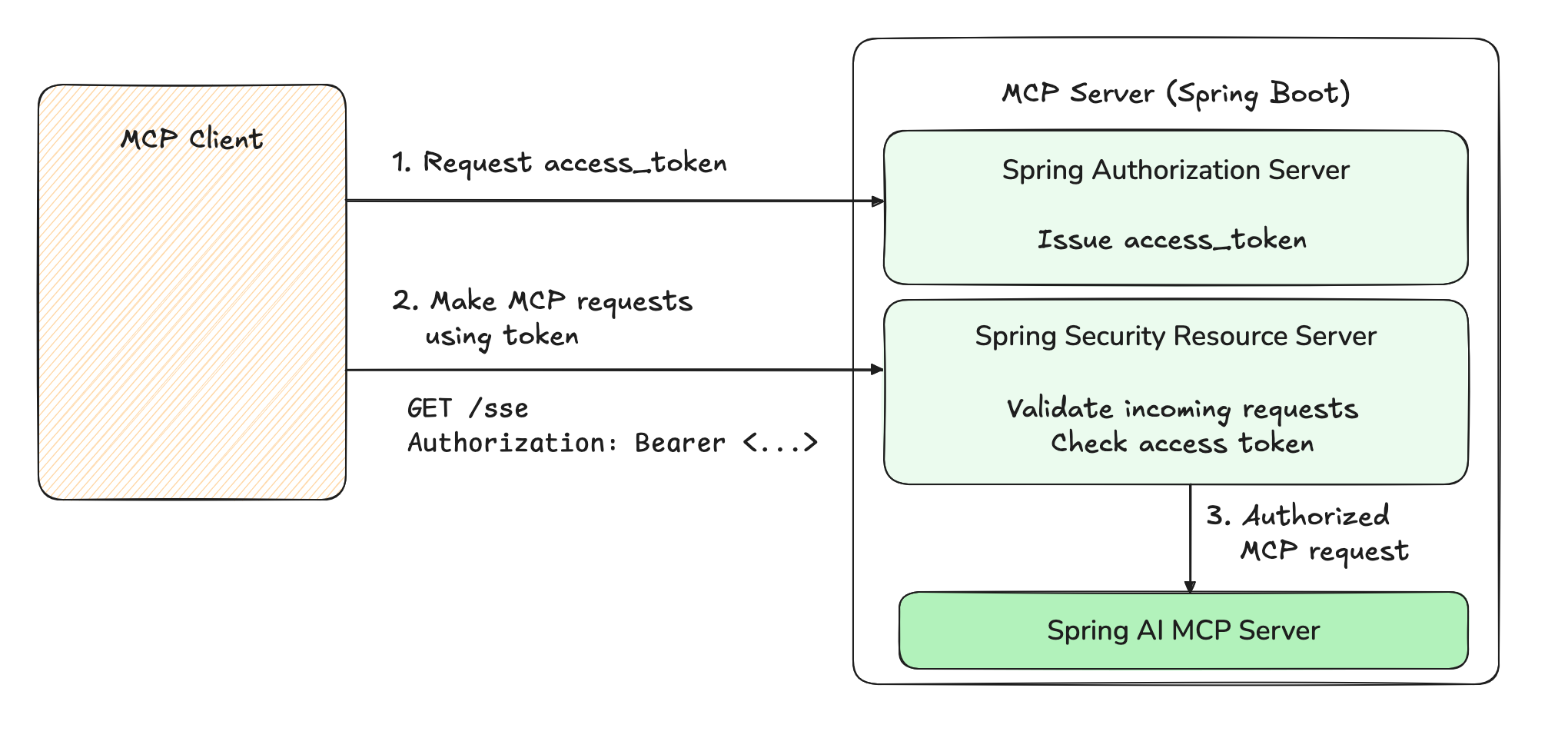
MCP Servers can run locally, using the STDIO transport. To expose an MCP server to the outside world, it must expose a few standard HTTP endpoints. While MCP Servers used privately might not require strict authentication, enterprise deployments need robust security and permission management for exposed endpoints. This challenge is addressed in the newest version of the MCP specification (2025-03-26), which was released last week. It lays the foundation for securing communications between Clients and Servers, leveraging the widespread OAuth2 framework. While we won’t do a full review of OAuth2 in this blog post, a quick refresher might prove useful. In the draft of the spec, the MCP Server is both a Resource Server and an Authorization Server. As a Resource Server, it performs authorization checks on incoming requests by checking theAuthorization header.
The header MUST contain an OAuth2 access_token, which is a string representing the “permissions” of the Client.
That token may be a JSON Web Token (JWT) or an opaque string that does not carry information by itself.
If the token is missing or invalid (malformed, expired, wrong recipient, …), the Resource Server rejects the request.
Using those tokens, a typical request might look like:
access_tokens for clients in a secure fashion.
Before issuing a token, the Server will verify the Client’s credentials, and, in some cases, the identity of the user trying to access the Server.
The Authorization Server will decide the characteristics of the token: its expiry, scope, intended audiences, etc.
Using Spring Security and Spring Authorization Server, we can easily add both capabilities to an existing Spring MCP Server.
Adding OAuth2 to your Spring MCP server
In this example, we will add OAuth 2 support to a sample MCP Server - the “Weather” MCP tool from our Spring AI examples repository. We will not explore the client-side of the interaction, only ensure our server can issue tokens and validate them. First, we import the required Boot starters inpom.xml:
application.properties, so that we can request access tokens:
mcp-client / secret.
The last step is to enable the authorization server and resource server features.
We do so by creating a configuration class for our security features, for example SecurityConfiguration, in which we expose a SecurityFilterChain bean:
- Ensure every request is authenticated. With this, our MCP Server will only allow requests with an
access_token. - Enable both Spring Authorization Server and Spring Resource Server.
- Turn off CSRF (Cross-Site Request Forgery). An MCP server is not designed for browser-based interactions, and does not require CSRF.
- Turn on CORS (Cross-Origin Resource Sharing) support, so we can demo the server with the MCP inspector.
HTTP 401 Unauthorized error. For example:
client_credentials OAuth2 grant, which is used in “machine to machine” or “service account” scenarios:
access_token. It starts with letters “ey”.
We can now use this access token to make requests, and they should succeed.
For example using curl, your can replace YOUR_ACCESS_TOKEN by the value you copied above:
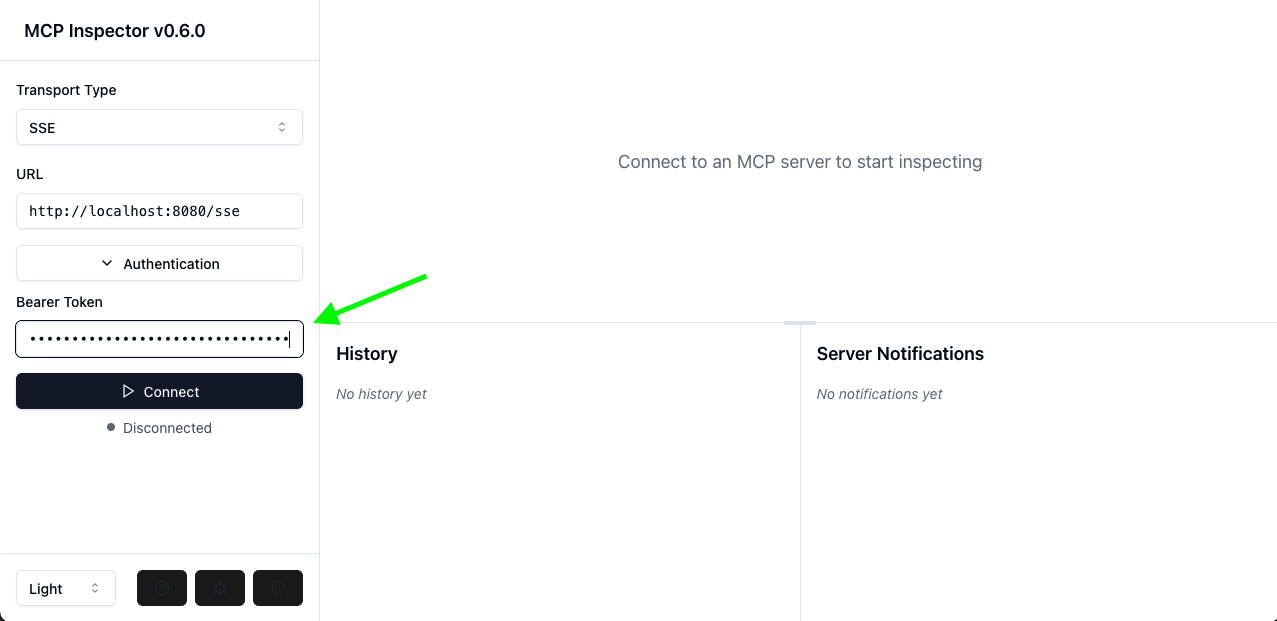
0.6.0.
Simply spin up the inspector, and paste the access token in the “Authentication > Bearer” field on the left-hand menu.
Then click Connect: you should be able to make MCP calls.
 If you would like to run this yourself, you can check out the sample code in the
 spring-ai-examples repository.