Introduction
In this two-parts blog post, I will discuss the modifications I made to Spring Petclinic to incorporate an AI assistant that allows users to interact with the application using natural language.Introduction to Spring Petclinic
Spring Petclinic serves as the primary reference application within the Spring ecosystem. According to GitHub, the repository was created on January 9, 2013. Since then, it has become the model application for writing simple, developer-friendly code using Spring Boot. As of this writing, it has garnered over 7,600 stars and 23,000 forks.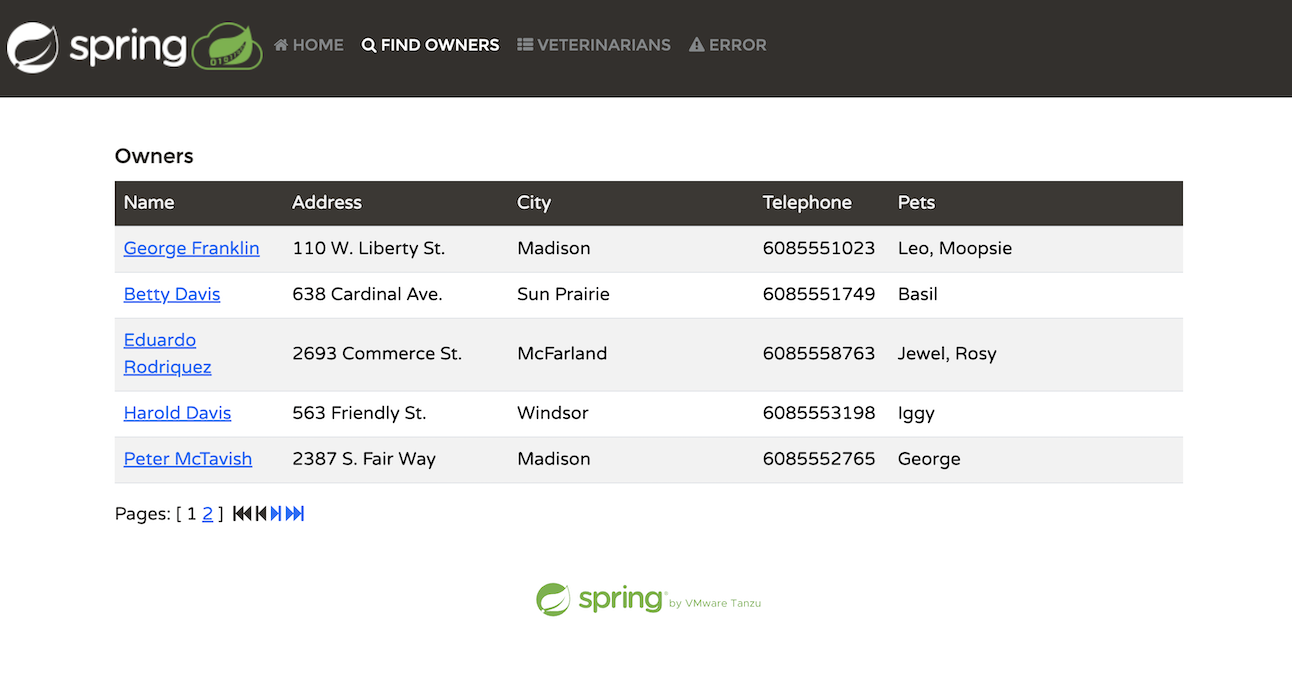 The application simulates a management system for a veterinarian’s pet clinic. Within the application, users can perform several activities:
- List pet owners
- Add a new owner
- Add a pet to an owner
- Document a visit for a specific pet
- List the veterinarians in the clinic
- Simulate a server-side error
Technologies Used
Spring Petclinic is developed using Spring Boot, specifically version 3.3 as of this publication.Frontend UI
The frontend UI is built using Thymeleaf. Thymeleaf’s templating engine facilitates seamless backend API calls within the HTML code, making it easy to understand. Below is the code that retrieves the list of pet owners:${listVets}, which references a model in the Spring backend that contains the data to be populated. Below is the relevant code block from the Spring @Controller that populates this model:
Spring Data JPA
Petclinic interacts with the database using the Java Persistence API (JPA). It supports H2, PostgreSQL, or MySQL, depending on the selected profile. Database communication is facilitated through@Repository interfaces, such as OwnerRepository. Here’s an example of one of the JPA queries within the interface:
@Query annotation when needed.
Hello, Spring AI
Spring AI is one of the most exciting new projects in the Spring ecosystem in recent memory. It enables interaction with popular large language models (LLMs) using familiar Spring paradigms and techniques. Much like Spring Data provides an abstraction that allows you to write your code once, delegating implementation to the providedspring-boot-starter dependency and property configuration, Spring AI offers a similar approach for LLMs. You write your code once to an interface, and a @Bean is injected at runtime for your specific implementation.
Spring AI supports all the major large language models, including OpenAI, Azure’s OpenAI implementation, Google Gemini, Amazon Bedrock, and many more.
Considerations for implementing AI in Spring Petclinic
Spring Petclinic is over 10 years old and was not originally designed with AI in mind. It serves as a classic candidate for testing the integration of AI into a “legacy” codebase. In approaching the challenge of adding an AI assistant to Spring Petclinic, I had to consider several important factors.Selecting a Model API
The first consideration was determining the type of API I wanted to implement. Spring AI offers a variety of capabilities, including support for chat, image recognition and generation, audio transcription, text-to-speech, and more. For Spring Petclinic, a familiar “chatbot” interface made the most sense. This would allow clinic employees to communicate with the system in natural language, streamlining their interactions instead of navigating through UI tabs and forms. I would also need embedding capabilities, which will be used for Retrieval-Augmented Generation (RAG) later in the article.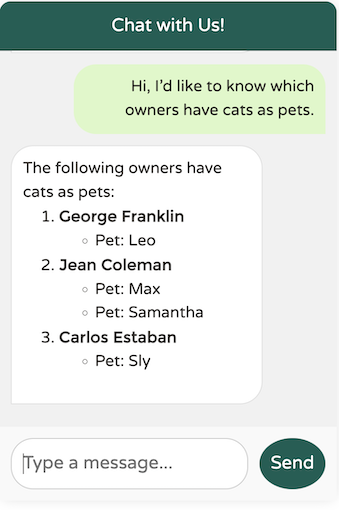 Possible interactions with the AI assistant may include:
- How can you assist me?
- Please list the owners that come to our clinic.
- Which vets specialize in radiology?
- Is there a pet owner named Betty?
- Which of the owners have dogs?
- Add a dog for Betty; its name is Moopsie.
Selecting a Large Language Model provider
The tech world is currently experiencing a gold rush with large language models (LLMs), with new models emerging every few days, each offering enhanced capabilities, larger context windows, and advanced features such as improved reasoning. Some of the popular LLMs include:- OpenAI and its Azure-based service, Azure OpenAI
- Google Gemini
- Amazon Bedrock, a managed AWS service that can run various LLMs, including Anthropic and Titan
- Llama 3.1, along with many other open-source LLMs available through Hugging Face
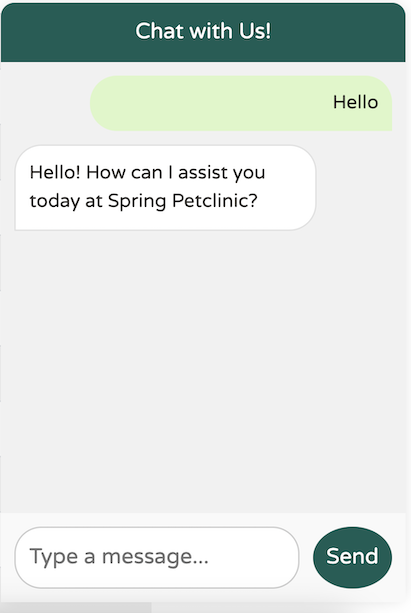 Perfect. Just what I wanted. Simple, concise, professional and user friendly.
Here’s the result using Llama3.1:
Perfect. Just what I wanted. Simple, concise, professional and user friendly.
Here’s the result using Llama3.1:
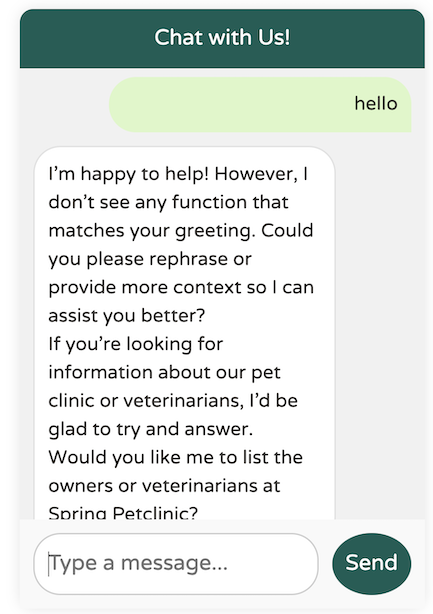 You get the point. It’s just not there yet.
Setting the desired LLM provider is straightforward - simply set its dependency in the
You get the point. It’s just not there yet.
Setting the desired LLM provider is straightforward - simply set its dependency in the pom.xml (or build.gradle) and provide the necessary configuration properties in application.yaml or application.properties:
application.yaml:
Let’s get coding!
Our goal is to create a WhatsApp/iMessage-style chat client that integrates with the existing UI of Spring Petclinic. The frontend UI will make calls to a backend API endpoint that accepts a string as input and returns a string as output. The conversation will be open to any questions the user may have, and if we can’t assist with a particular request, we’ll provide an appropriate response.Creating the ChatClient
Here’s the implementation for the chat endpoint in the classPetclinicChatClient:
ChatClient bean as user text. The ChatClient is a Spring Bean provided by Spring AI that manages sending the user text to the LLM and returning the results in the content().
All the Spring AI code operates under a specificOur implementation primarily delegates responsibility to the@Profilecalledopenai. An additional class,PetclinicDisabledChatClient, runs when using the default profile or any other profile. This disabled profile simply returns a message indicating that chat is not available.
ChatClient. But how do we create the ChatClient bean itself? There are several configurable options that can influence the user experience. Let’s explore them one by one and examine their impact on the final application:
A Simple ChatClient:
Here’s a barebones, unalteredChatClient bean definition:
ChatClient from the builder, based on the currently available Spring AI starter in the dependencies. While this setup works, our chat client lacks any knowledge of the Petclinic domain or its services:
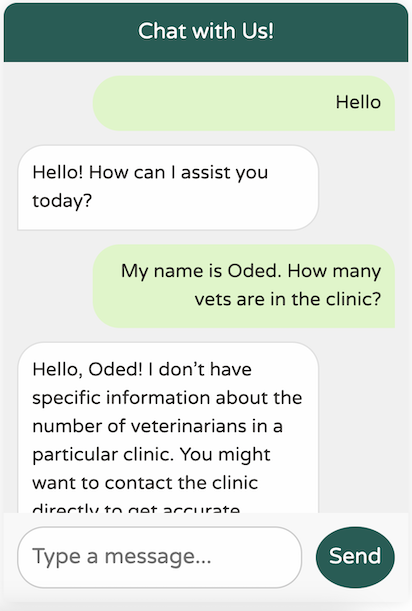
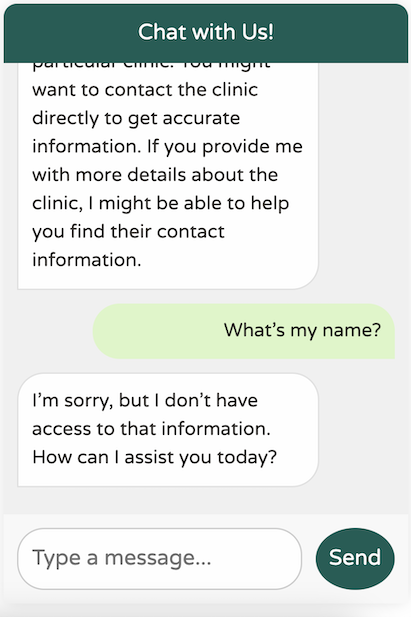 It’s certainly polite, but it lacks any understanding of our business domain. Additionally, it seems to suffer from a severe case of amnesia—it can’t even remember my name from the previous message!
As I reviewed this article, I realized I’m not following the advice of my good friend and colleague Josh Long. I should probably be more polite to our new AI overlords!You might be accustomed to ChatGPT’s excellent memory, which makes it feel conversational. In reality, however, LLM APIs are entirely stateless and do not retain any of the past messages you send. This is why the API forgot my name so quickly. You may be wondering how ChatGPT maintains conversational context. The answer is simple: ChatGPT sends past messages as content along with each new message. Every time you send a new message, it includes the previous conversations for the model to reference. While this might seem wasteful, it’s just how the system operates. This is also why larger token windows are becoming increasingly important—users expect to revisit conversations from days ago and pick up right where they left off.
A ChatClient with better memory
Let’s implement a similar “chat memory” functionality in our application. Fortunately, Spring AI provides an out-of-the-box Advisor to help with this. You can think of advisors as hooks that run before invoking the LLM. It’s helpful to consider them as resembling Aspect-Oriented Programming advice, even if they aren’t implemented that way. Here’s our updated code:MessageChatMemoryAdvisor, which automatically chains the last 10 messages into any new outgoing message, helping the LLM understand the context.
We also included an out-of-the-box SimpleLoggerAdvisor, which logs the requests and responses to and from the LLM.
The result:
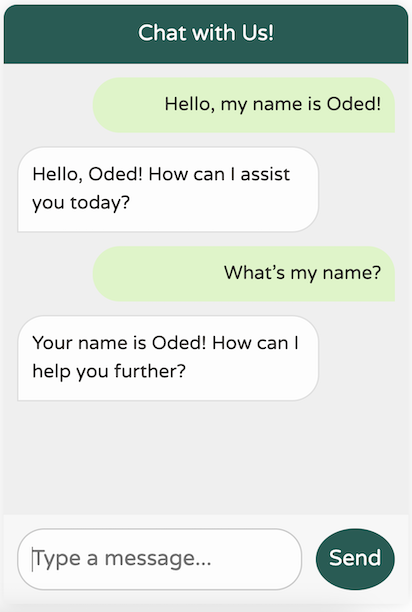 Our new chatbot has significantly better memory!
However, it’s still not entirely clear on what we’re really doing here:
Our new chatbot has significantly better memory!
However, it’s still not entirely clear on what we’re really doing here:
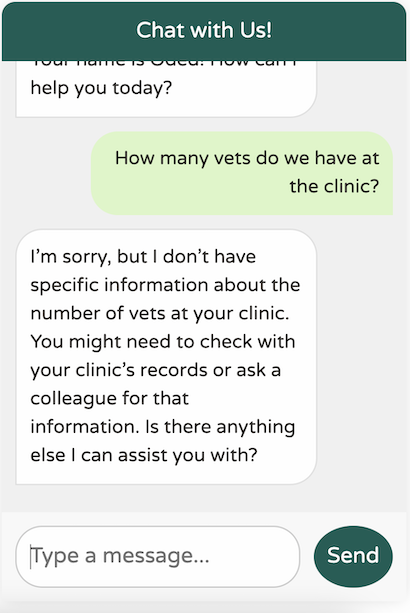 This response is decent for a generic world-knowledge LLM. However, our clinic is very domain-specific, with particular use cases. Additionally, our chatbot should focus solely on assisting us with our clinic. For example, it should not attempt to answer a question like this:
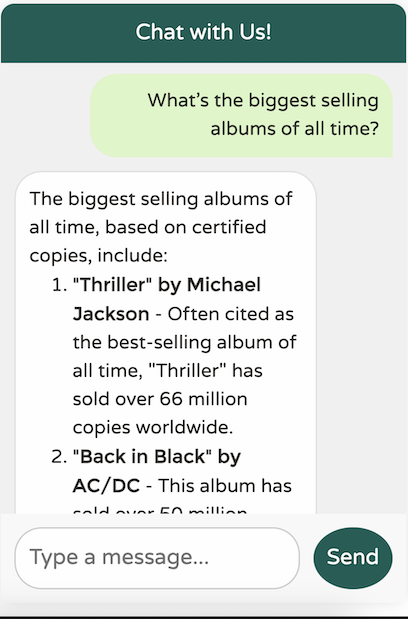 If we allowed our chatbot to answer any question, users might start using it as a free alternative to services like ChatGPT to access more advanced models like GPT-4. It’s clear that we need to teach our LLM to “impersonate” a specific service provider. Our LLM should focus solely on assisting with Spring Petclinic; it should know about vets, owners, pets, and visits—nothing more.
A ChatClient Bound to a Specific Domain
Spring AI offers a solution for this as well. Most LLMs differentiate between user text (the chat messages we send) and system text, which is general text that instructs the LLM to function in a specific manner. Let’s add the system text to our chat client:MapOutputConverter bean:
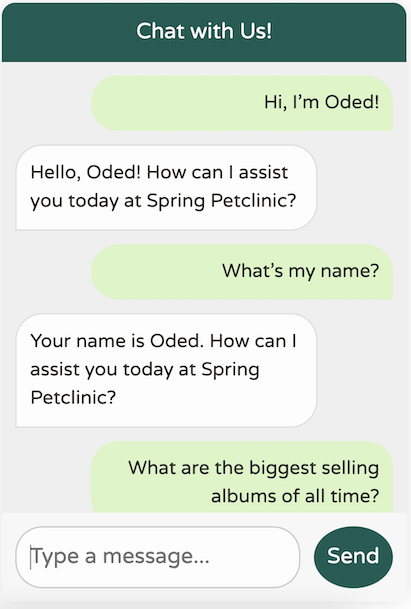
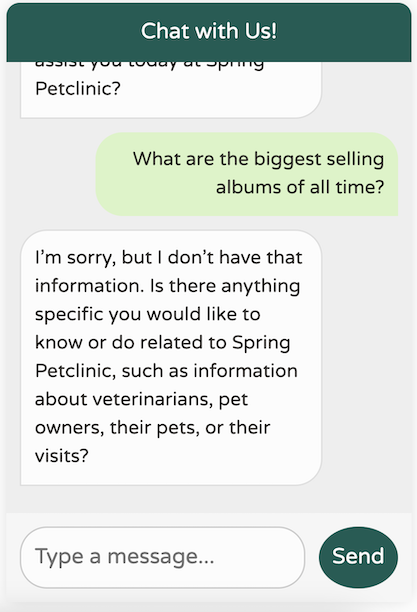
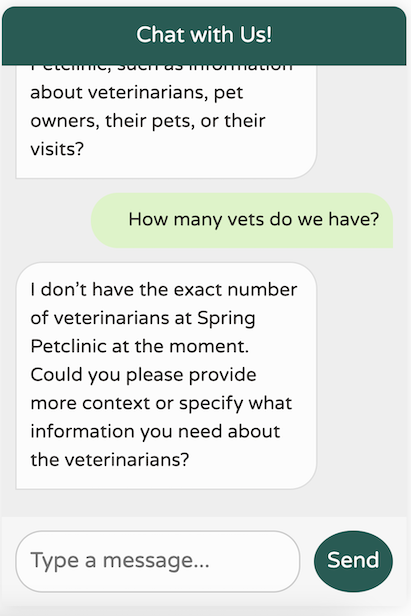 That’s a significant improvement! We now have a chatbot that’s tuned to our domain, focused on our specific use cases, remembers the last 10 messages, doesn’t provide any irrelevant world knowledge, and avoids hallucinating data it doesn’t possess. Additionally, our logs print the calls we’re making to the LLM, making debugging much easier.
Identifying Core Functionality
Our chatbot behaves as expected, but it currently lacks knowledge about the data in our application. Let’s focus on the core features that Spring Petclinic supports and map them to the functions we might want to enable with Spring AI:List Owners
In the Owners tab, we can search for an owner by last name or simply list all owners. We can obtain detailed information about each owner, including their first and last names, as well as the pets they own and their types: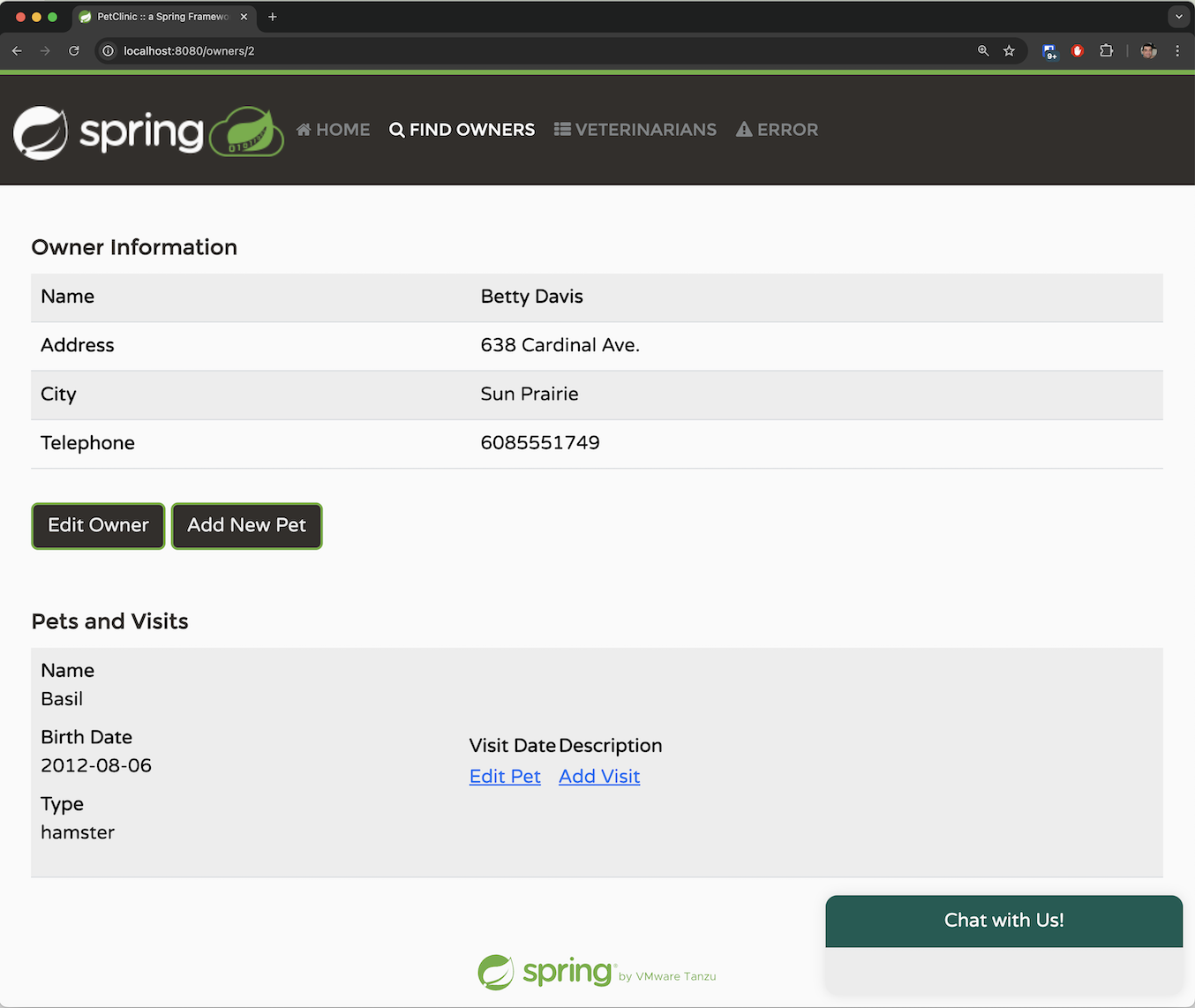
Adding an Owner
The application allows you to add a new owner by providing the required parameters dictated by the system. An owner must have a first name, a last name, an address, and a 10-digit phone number.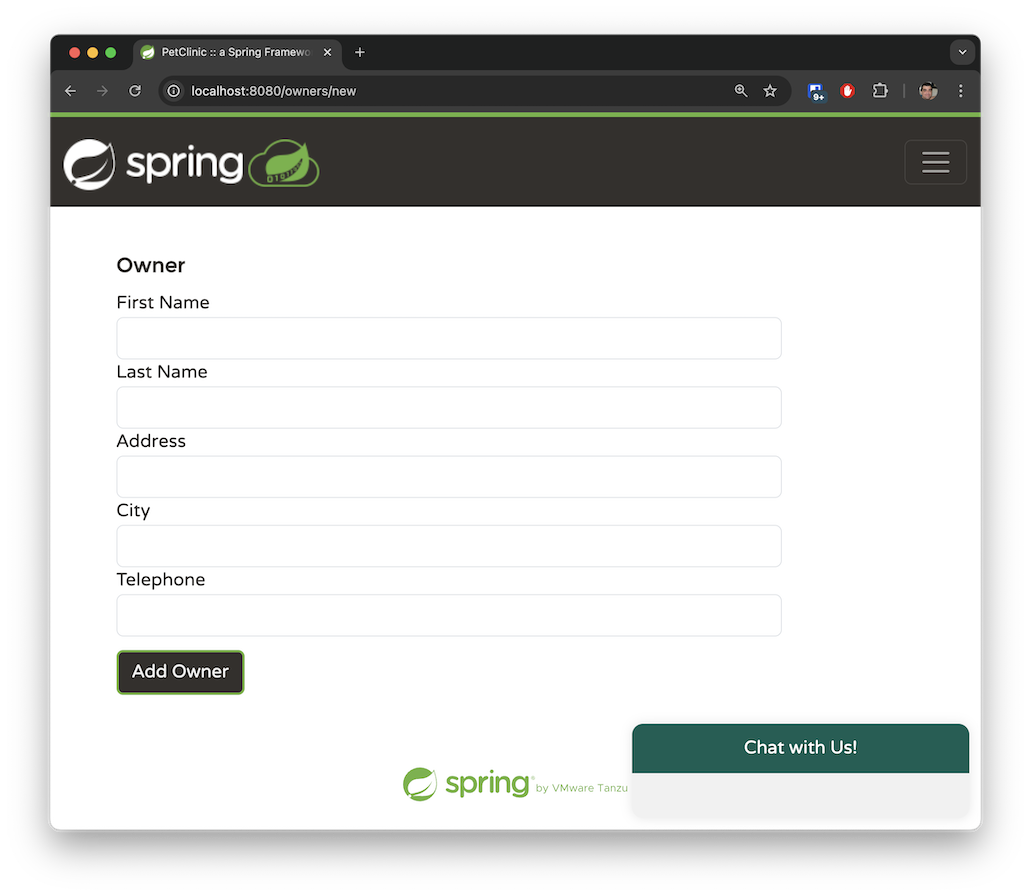
Adding a Pet to an Existing Owner
An owner can have multiple pets. The pet types are limited to the following: cat, dog, lizard, snake, bird, or hamster.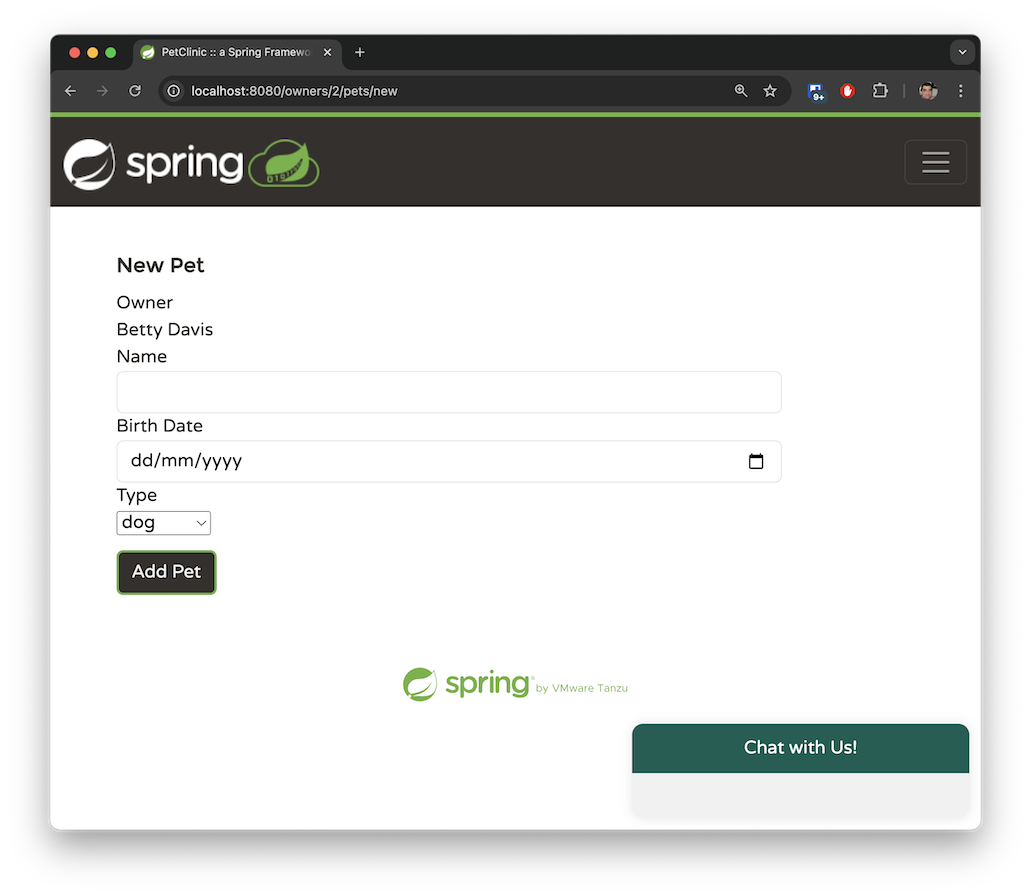
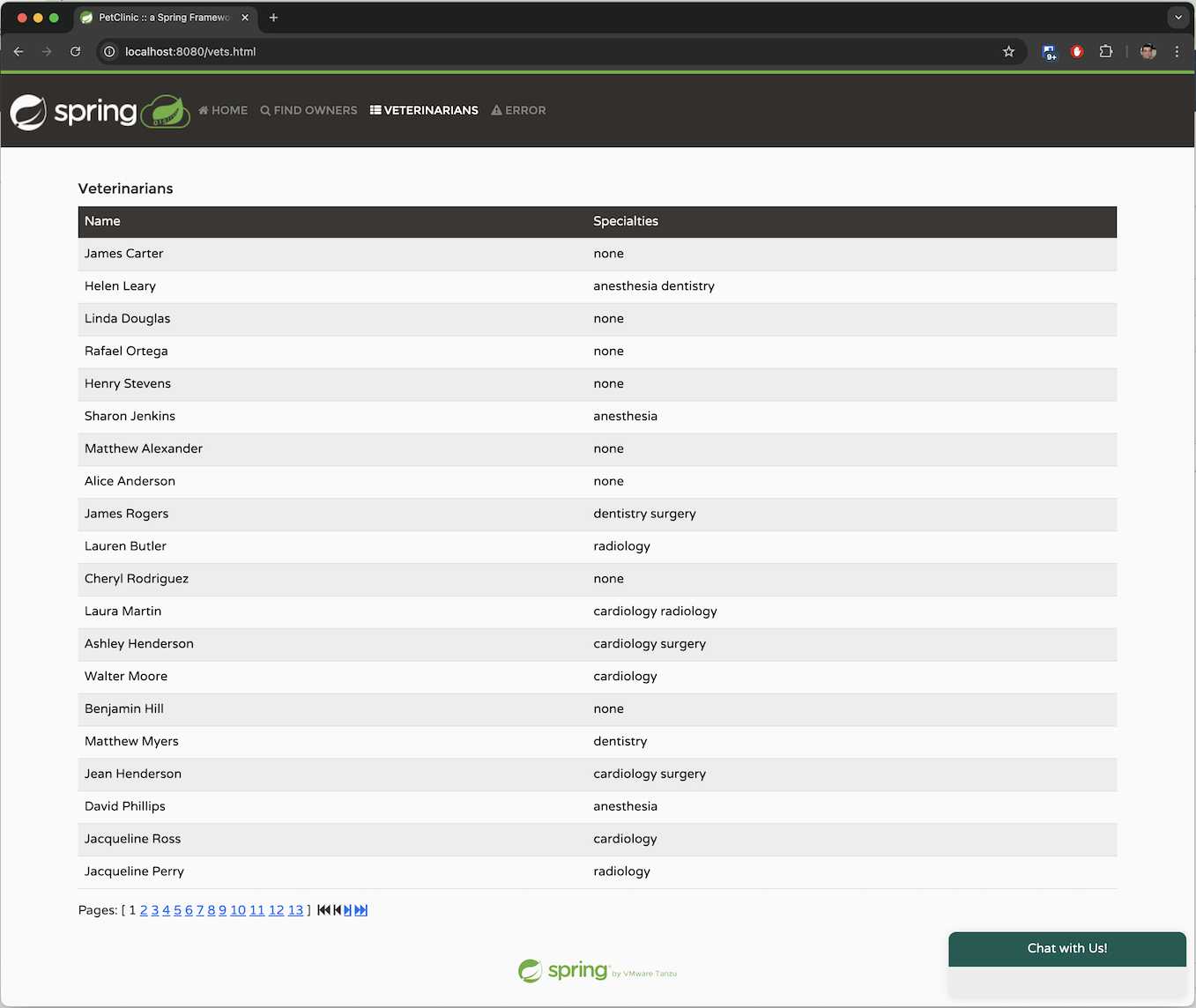
Veterinarians
The Veterinarians tab displays the available veterinarians in a paginated view, along with their specialties. There is currently no search capability in this tab. While themain branch of Spring Petclinic features a handful of vets, I generated hundreds of mock vets in the spring-ai branch to simulate an application that handles a substantial amount of data. Later, we will explore how we can use Retrieval-Augmented Generation (RAG) to manage large datasets such as this.
 These are the main operations we can perform in the system. We’ve mapped our application to its basic functions, and we’d like OpenAI to infer requests in natural language corresponding to these operations.
Function Calling with Spring AI
In the previous section, we described four different functions. Now, let’s map them to functions we can use with Spring AI by specifying specificjava.util.function.Function beans.
List Owners
The followingjava.util.function.Function is responsible for returning the list of owners in Spring Petclinic:
-
We’re creating a
@Configurationclass in theopenaiprofile, where we register a standard Spring@Bean. -
The bean must return a
java.util.function.Function. -
We use Spring’s
@Descriptionannotation to explain what this function does. Notably, Spring AI will pass this description to the LLM to help it determine when to call this specific function. -
The function accepts an
OwnerRequestrecord, which holds the existing Spring Petclinic Owner entity class. This demonstrates how Spring AI can leverage components you’ve already developed in your application without requiring a complete rewrite. -
OpenAI will decide when to invoke the function with a JSON object representing the
OwnerRequestrecord. Spring AI will automatically convert this JSON into anOwnerRequestobject and execute the function. Once a response is returned, Spring AI will convert the resultingOwnerResponserecord—which holds aList<Owner>—back to JSON format for OpenAI to process. When OpenAI receives the response, it will craft a reply for the user in natural language. -
The function calls an
AIDataProvider@Servicebean that implements the actual logic. In our simple use case, the function merely queries the data using JPA:
-
The existing legacy code of Spring Petclinic returns paginated data to keep the response size manageable and facilitate processing for the paginated view in the UI. In our case, we expect the total number of owners to be relatively small, and OpenAI should be able to handle such traffic in a single request. Therefore, we return the first 100 owners in a single JPA request.
You may be thinking that this approach isn’t optimal, and in a real-world application, you would be correct. If there were a large amount of data, this method would be inefficient—it’s likely we’d have more than 100 owners in the system. For such scenarios, we would need to implement a different pattern, as we will explore in the
listVetsfunction. However, for our demo use case, we can assume our system contains fewer than 100 owners.
SimpleLoggerAdvisor to observe what happens behind the scenes:
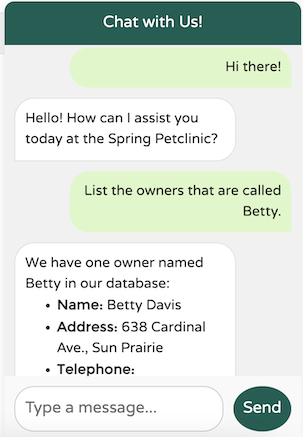 What happened here? Let’s review the output from the
 SimpleLoggerAdvisor log to investigate:
AzureOpenAiChatOptions. Examining the object in debug mode reveals the list of functions available to the model:
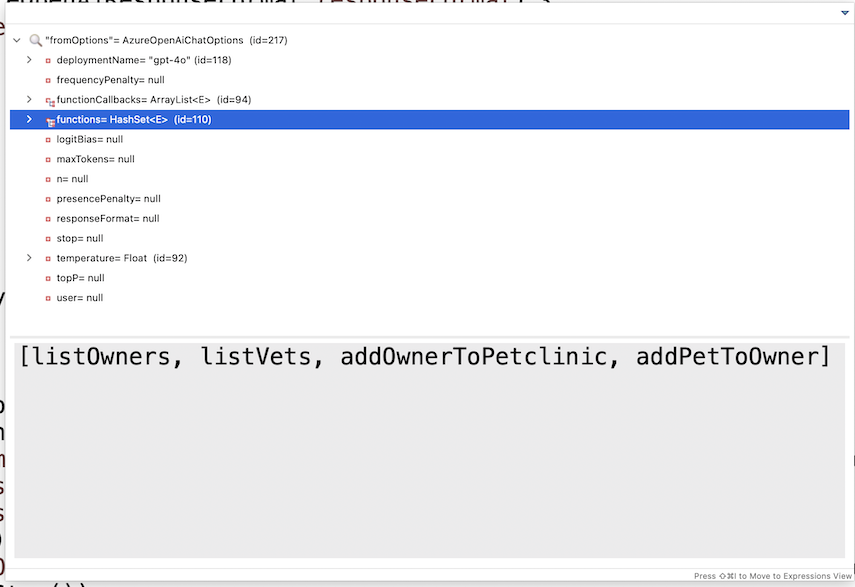 OpenAI will process the request, determine that it requires data from the list of owners, and return a JSON reply to Spring AI requesting additional information from the
 listOwners function. Spring AI will then invoke that function using the provided OwnersRequest object from OpenAI and send the response back to OpenAI, maintaining the conversation ID to assist with session continuity over the stateless connection. OpenAI will generate the final response based on the additional data provided. Let’s review that response as it is logged:
content section. Most of the returned JSON consists of metadata—such as content filters, the model being used, the chat ID session in the response, the number of tokens consumed, how the response completed, and more.
This illustrates how the system operates end-to-end: it starts in your browser, reaches the Spring backend, and involves a B2B ping-pong interaction between Spring AI and the LLM until a response is sent back to the JavaScript that made the initial call.
Now, let’s review the remaining three functions.
Add Pet to Owner
TheaddPetToOwner method is particularly interesting because it demonstrates the power of the model’s function calling.
When a user wants to add a pet to an owner, it’s unrealistic to expect them to input the pet type ID. Instead, they are likely to say the pet is a “dog” rather than simply providing a numeric ID like “2”.
To assist the LLM in determining the correct pet type, I utilized the @Description annotation to provide hints about our requirements. Since our pet clinic only deals with six types of pets, this approach is manageable and effective:
AddPetRequest record includes the pet type in free text, reflecting how a user would typically provide it, along with the complete Pet entity and the referenced ownerId.
Pet entity in the request was already prepopulated with the correct pet type ID and name.
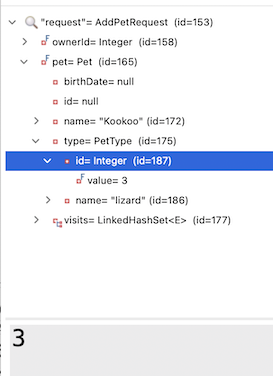 I also noticed that I wasn’t really using the
 petType String in my business implementation. Is it possible that Spring AI simply “figured out” the correct mapping of the PetType name to the correct ID on its own?
To test this, I removed the petType from my request object and simplified the @Description as well:
PetType in the @Entity of Pet needed the mapping of the String “lizard” to its corresponding ID value in the database. This kind of seamless integration showcases the potential of combining traditional programming with AI capabilities.
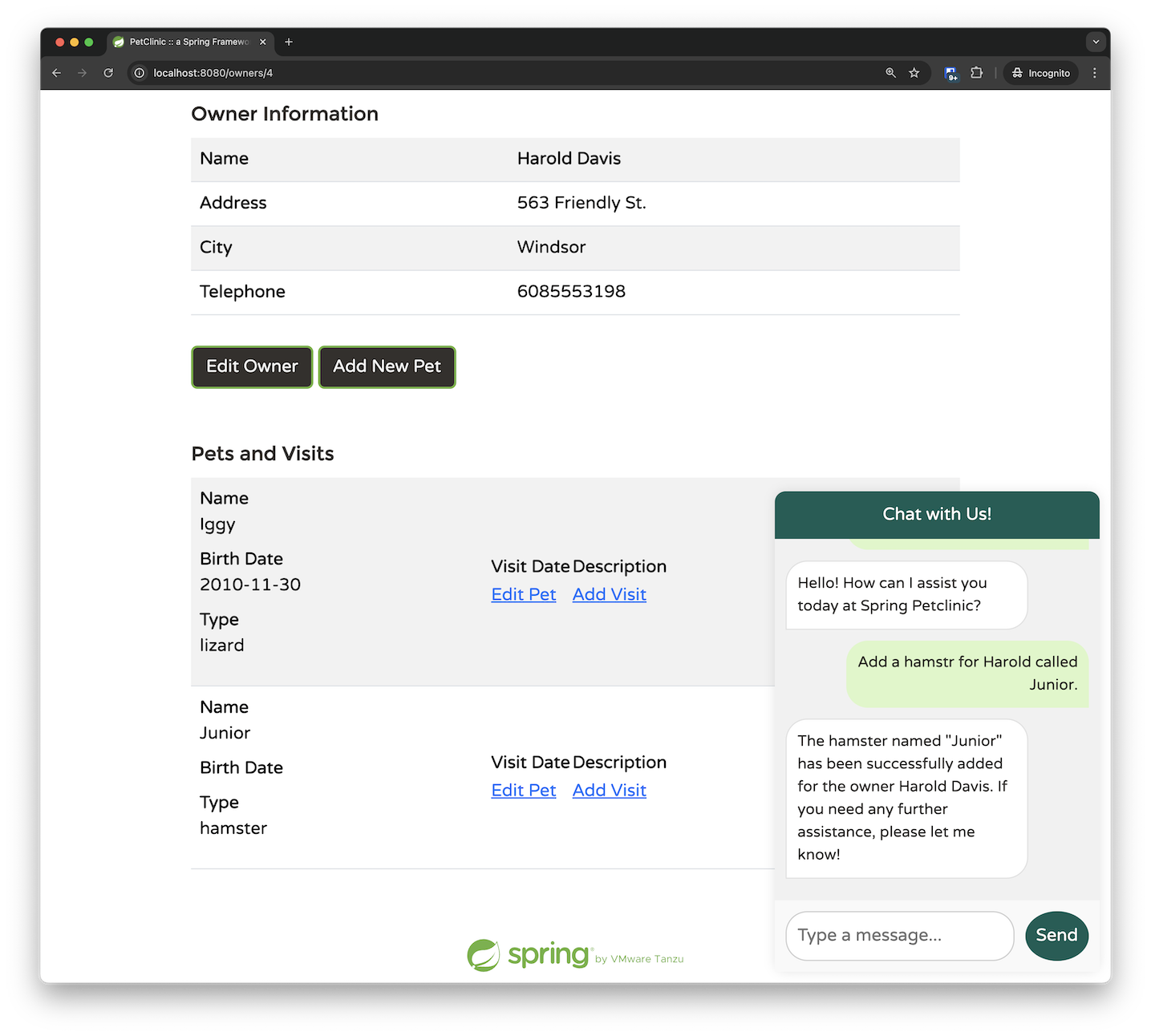 If you dig deeper, you’ll find things become even more impressive. The
 AddPetRequest only passes the ownerId as a parameter; I provided the owner’s first name instead of their ID, and the LLM managed to determine the correct mapping on its own. This indicates that the LLM chose to call the listOwners function before invoking the addPetToOwner function. By adding some breakpoints, we can confirm this behavior. Initially, we hit the breakpoint for retrieving the owners:
 Only after the owner data is returned and processed do we invoke the
 addPetToOwner function:
 My conclusion is this: with Spring AI, start simple. Provide the essential data you know is required and use short, concise bean descriptions. It’s likely that Spring AI and the LLM will “figure out” the rest. Only when issues arise should you begin adding more hints to the system.
Add Owner
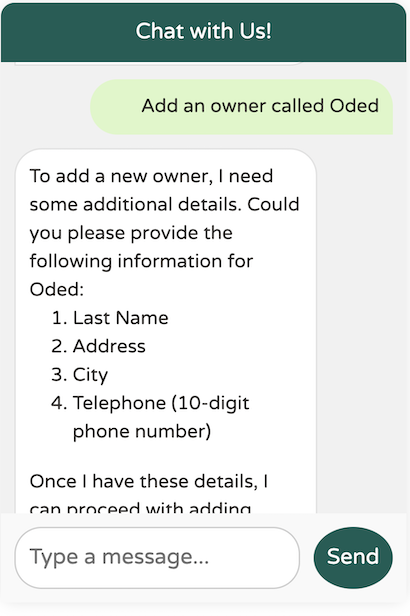
TheaddOwner function is relatively straightforward. It accepts an owner and adds him/her to the system. However, in this example, we can see how to perform validation and ask follow-up questions using our chat assistant:
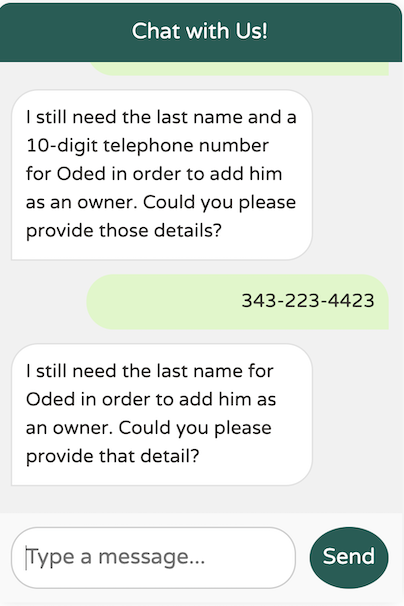
Owner within the OwnerRequest meets certain validation criteria before it can be added. Specifically, the owner must include a first name, a last name, an address, and a 10-digit phone number. If any of this information is missing, the model will prompt us to provide the necessary details before proceeding with the addition of the owner:
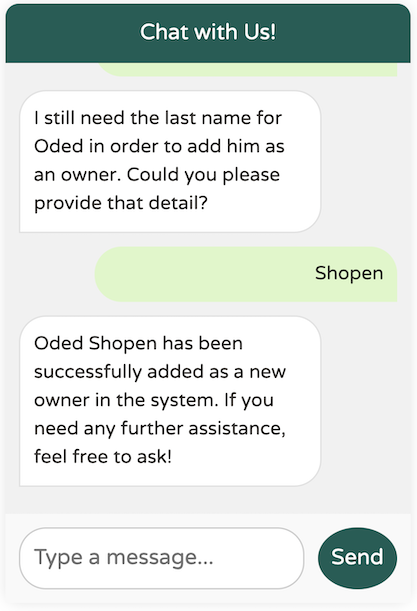
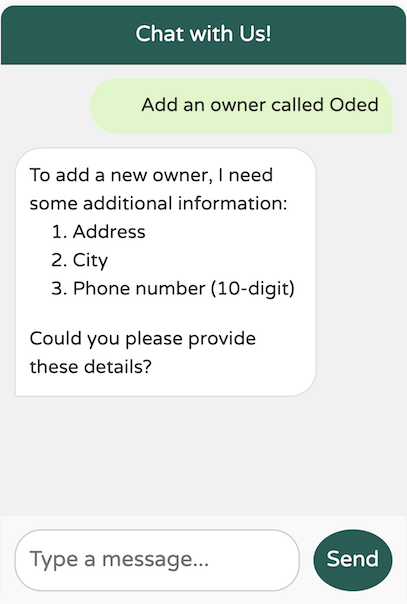 The model didn’t create the new owner before requesting the necessary additional data, such as the address, city, and phone number. However, I don’t recall providing the required last name. Will it still work?
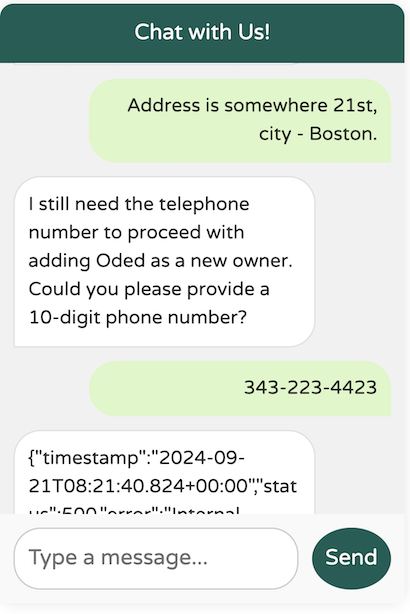 We’ve identified an edge case in the model: it doesn’t seem to enforce the requirement for a last name, even though the
 @Description specifies that it is mandatory. How can we address this? Prompt engineering to the rescue!